
Download Imagine by Meta – Free AI Image Generator for Windows, Mac, iOS & Android
Imagine by Meta AI Image Generation is a cutting-edge, free web-based tool that empowers users to transform text descriptions into stunning visual art using advanced generative AI. Whether you're a designer, content creator, educator, or just someone with a creative spark, Imagine by Meta lets you generate unique, high-quality images with just a few words. This AI-powered software runs directly in your browser—no downloads required—making it accessible across Windows, Mac, Android, and iOS devices. With a clean, intuitive interface and a strong focus on privacy, Imagine by Meta ensures a secure and seamless experience. You can create everything from realistic portraits and fantasy landscapes to abstract concepts and product mockups—all in seconds. The tool also supports optional cookies for personalized experiences, while giving you full control over your data. With regular updates and a growing feature set, Imagine by Meta is quickly becoming one of the most trusted AI image generators available today.
Intuitive Design & Seamless User Experience
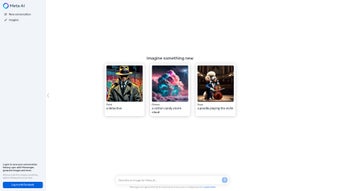
Imagine by Meta stands out in the crowded AI image generation space thanks to its remarkably simple and elegant interface. Unlike many complex AI tools that require technical knowledge or extensive tutorials, Imagine by Meta is designed for everyone—from beginners to professionals. The moment you visit the web app, you're greeted with a clean input field where you can type a detailed description of the image you'd like to generate. Whether it's “a futuristic cityscape at sunset with flying cars and neon lights” or “a cute golden retriever wearing a tiny crown,” the AI interprets your prompt and delivers a visually compelling result in under 15 seconds. The user experience is further enhanced by real-time feedback and prompt suggestions. As you type, the tool offers helpful hints and example phrases to inspire your creativity. After generation, you can easily refine your image by adjusting the prompt, changing styles, or using advanced settings like aspect ratio and image quality. All interactions happen directly in your browser, ensuring fast performance and zero installation hassle. This makes Imagine by Meta ideal for on-the-go creators using Android smartphones or iOS tablets, as well as desktop users on Windows or Mac systems. Privacy is a core pillar of the platform. Unlike some AI tools that store your prompts or images on remote servers, Imagine by Meta emphasizes data protection with optional cookies and a transparent cookie policy. You can log in to save your creations, but your data remains under your control. This commitment to privacy makes it a secure choice for professionals handling sensitive project ideas or personal creative work. With regular updates to improve accuracy, speed, and interface responsiveness, Imagine by Meta continues to evolve as a reliable, user-first AI image generator.Powerful AI Features & Creative Flexibility
At the heart of Imagine by Meta lies a robust generative AI engine capable of producing high-resolution, detailed images from simple text prompts. The tool leverages Meta’s advanced AI research, including diffusion models trained on vast datasets, to deliver visually coherent and artistically diverse outputs. Whether you're generating hyper-realistic scenes, surreal dreamscapes, or stylized illustrations, the AI adapts to your creative vision with impressive consistency. Key features include:- Text-to-Image Generation: Describe any scene, object, or concept and watch it come to life instantly.
- Style Customization: Choose from multiple artistic styles—realistic, cartoon, oil painting, cyberpunk, sketch, and more.
- Aspect Ratio Control: Generate images in standard (1:1), landscape (16:9), or portrait (4:5) formats for social media, presentations, or print.
- Image Refinement Tools: Edit and regenerate images with improved details, color balance, and composition.
- Privacy-First Design: Optional login and cookie settings give you full control over data sharing.
- Free Access with No Watermarks: Create unlimited images at no cost, with no hidden fees or branding.
Compatibility & Easy Access Across Devices
Imagine by Meta is built with cross-platform accessibility in mind. Since it’s a web-based application, you don’t need to download or install anything—just open your browser and start creating. This makes it compatible with a wide range of devices and operating systems, including Windows 10/11, Mac OS, Android smartphones and tablets, and iOS devices like iPhones and iPads. To use Imagine by Meta, simply visit the official website and sign in or use the guest mode. The interface automatically adjusts to your screen size, ensuring a smooth experience whether you’re using a desktop monitor or a mobile device. On Android and iOS, the app is optimized for touch controls, allowing you to tap, swipe, and type prompts with ease. The responsive design ensures that image generation and editing workflows remain intuitive, even on smaller screens. For users on Windows and Mac, the tool runs smoothly on modern browsers like Chrome, Firefox, Safari, and Edge. No additional plugins or software are required. The app also supports high-DPI displays, so your generated images look crisp and clear on 4K monitors. With no installation barriers, Imagine by Meta is perfect for teams collaborating remotely or individuals who want to experiment with AI art without committing to a heavy software suite. The platform also integrates well with existing workflows. You can download your images in PNG or JPG formats, resize them, or use them directly in Canva, Adobe Photoshop, or Google Slides. This seamless compatibility makes Imagine by Meta a valuable addition to any creative toolkit.Pros & Cons: Honest Review of Imagine by Meta
- Pros:
- Completely free to use with no hidden charges
- Fast, browser-based access—no installation needed
- High-quality, detailed AI-generated images
- Strong privacy focus with user-controlled cookies
- Supports multiple aspect ratios and artistic styles
- Intuitive interface suitable for all skill levels
- Regular updates and feature improvements
- Cons:
- No offline mode—requires internet connection
- Advanced editing tools limited compared to desktop software
- Image generation speed can vary based on server load
- Some complex prompts may require refinement
- No built-in image library or template collection



.png)



